Getting started
What devices do I need?
You can start with an iPhone (iOS 26+), and you get the full wrist experience with an Apple Watch (watchOS 11+). Because AI summaries run on your device, you need an iPhone that supports Apple Intelligence (iPhone 15 Pro and later). On unsupported devices you can still connect and view mail, but summaries won't run — there is intentionally no fallback that sends your body to the cloud.
Do I have to own an Apple Watch?
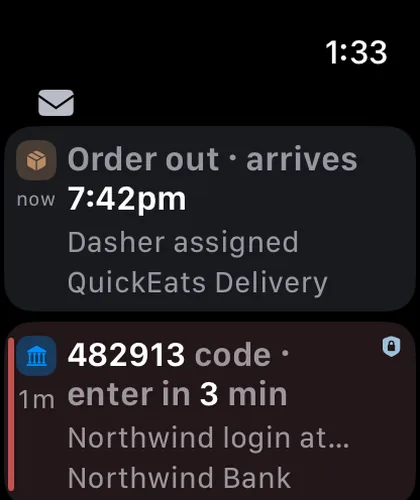
No. You can use the AI summary inbox on iPhone alone. That said, MailMail's real value is "finish it in three seconds with a glance at your wrist," so it shines most with an Apple Watch.
Can I use it if I don't use Apple Mail?
Yes. You connect Gmail, Naver, Daum/Kakao, and generic IMAP (work email) accounts directly. You don't have to switch mail apps or move your accounts.
Does it summarize email in other languages?
Yes. Mail in other languages is automatically translated and summarized. Translation also runs on your device and is included in the Free plan.
Privacy
Is my email content sent to a server?
No. Fetching the body is a direct connection (TLS) between your device and your email provider, and the summary is produced by Apple's on-device model on your device. Bodies, subjects, senders, and passwords never reach our servers, and the body never goes to the watch on your wrist either.
Wouldn't a cloud AI like ChatGPT be smarter?
Summaries run on Apple Intelligence, on your iPhone, so your email body never has to go to a server. The model ships with iOS rather than with the app, so as iOS gets smarter, MailMail's summaries evolve with it — even without an app update — and your email still never leaves the device.
How are my passwords stored?
App passwords and OAuth tokens are stored only in your iPhone keychain (device-only, sync disabled). They are never sent to our servers or to the watch.
Are there ads or tracking?
None. Zero on-screen ads and zero third-party tracking SDKs. By policy, ads can't even be shown on the watch screen. Revenue comes only from Pro purchases (subscription or lifetime).
Usage · pricing
How fast does new mail reach my wrist?
While you're actively viewing the app it updates in near real time (IMAP IDLE); when the app isn't open it checks whenever iOS allows, so alerts can be a few minutes to tens of minutes late — because we never keep your mail password on a server. It's designed so you don't miss what matters rather than to ping you for everything instantly.
Can I compose or send mail?
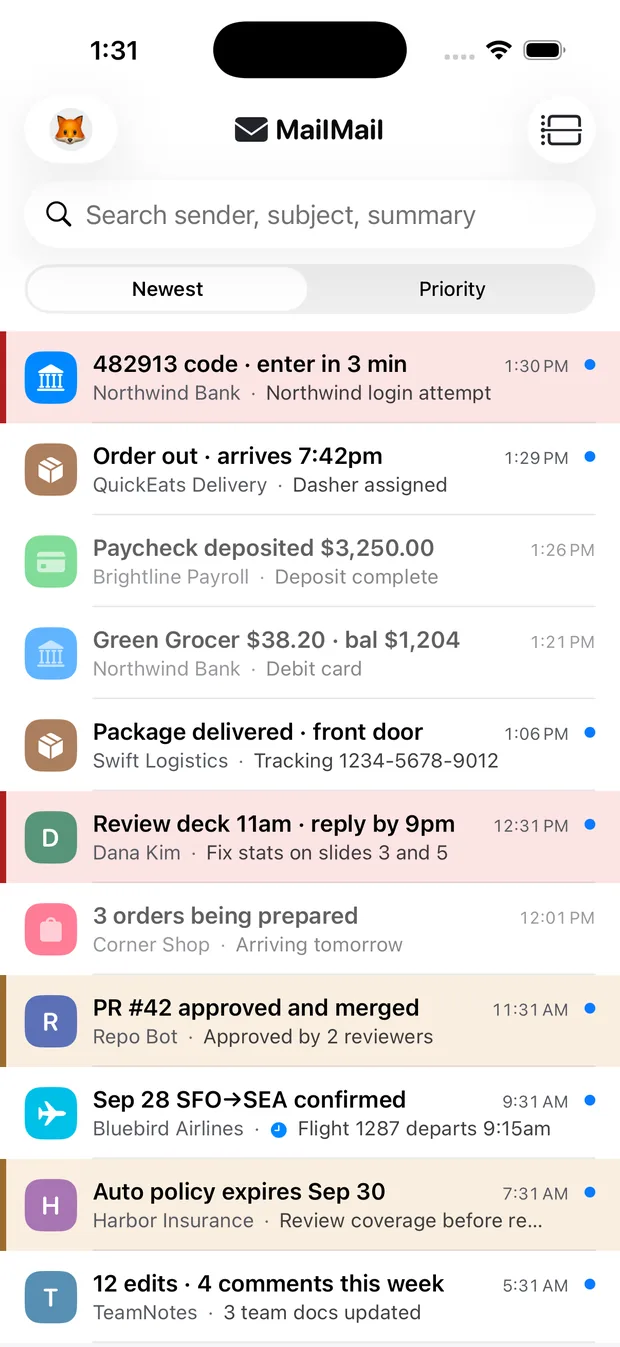
v1 focuses on the "wrist inbox" positioning — fast triage, read, and archive. You can send an AI-suggested reply in one tap or write your own, search your inbox, view the original (HTML) and open attachments (PDF, photos). Composing new mail, folder management, and deleting mail (trash) aren’t available yet and may be added later.
Is the free plan usable? What about the trial and canceling?
Yes. Free gives you 50 summaries a day, 1 account, ad-free, forever. If you need more mail, multiple accounts, and to-do extraction, upgrade to Pro. The annual plan includes a 7-day free trial, and you can cancel anytime in your device's Settings → [your name] → Subscriptions. All payments go through the App Store (Apple).
 🔒 Body never leaves